


Sage Intacct Reporting Services
If your reporting still lives in spreadsheets, scattered exports, or is full of end-of-month surprises, you are not alone. enSYNC helps teams set up Sage Intacct reporting the right way so dashboards, financial statements, and board-ready outputs are accurate, consistent, and serve your reporting needs.
Turn Sage Intacct Reporting Into The Kind of Dashboard Leaders Will Actually Use
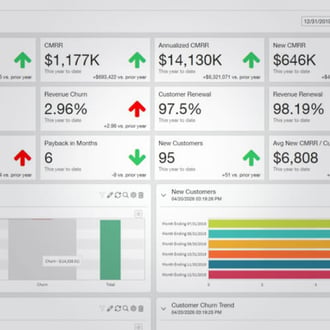
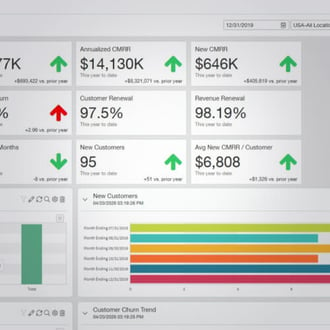
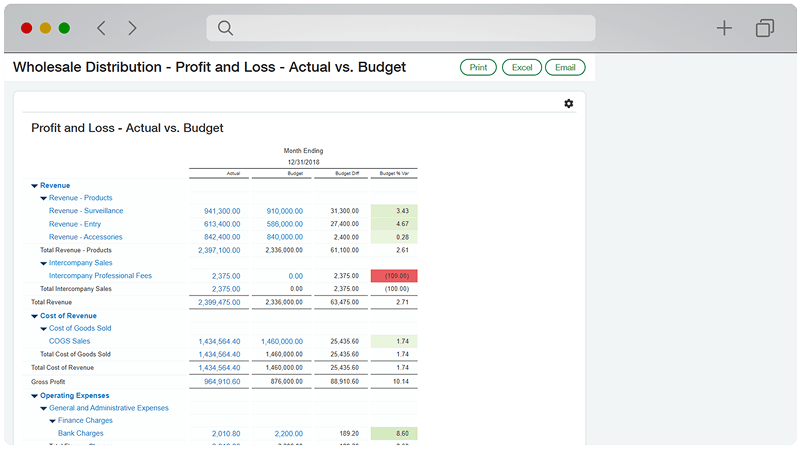
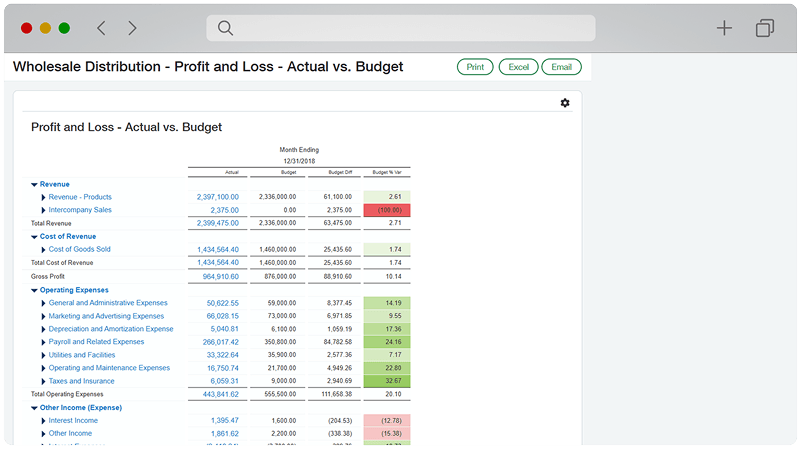
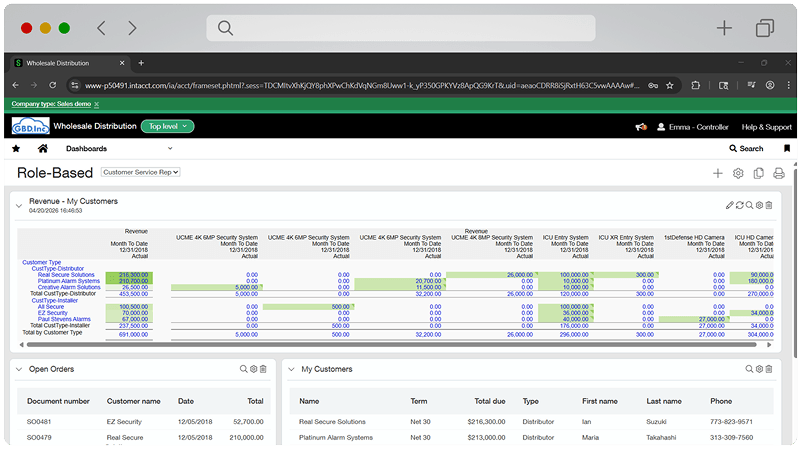
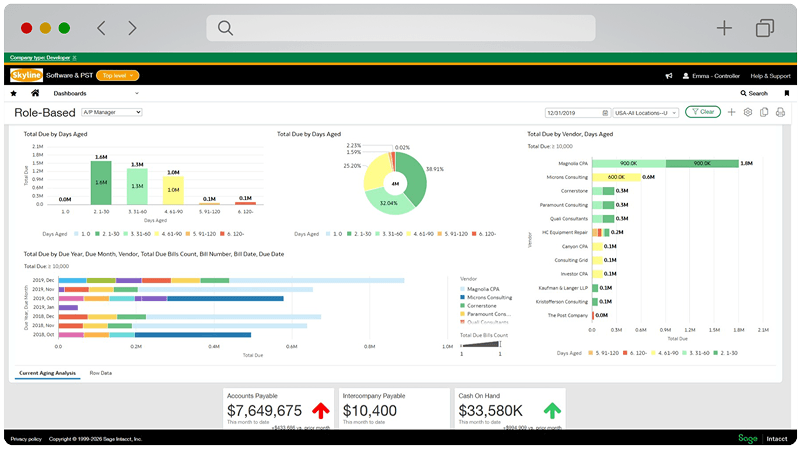
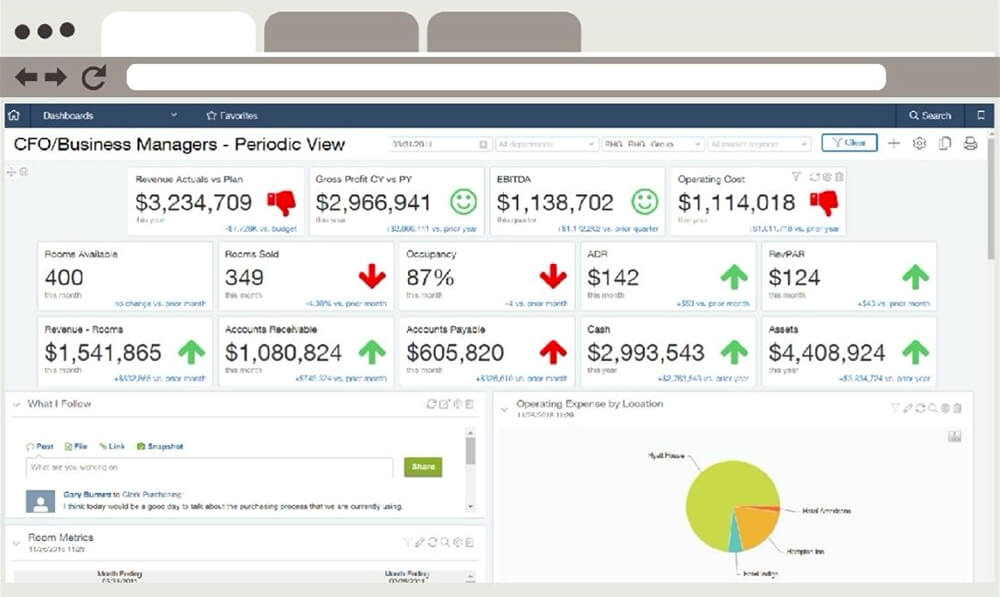
Sage Intacct includes powerful reporting tools, including dashboards, 150+ built-in reports, and report writers that let you drill down to source transactions. Our reporting services focus on helping your team set up and use those capabilities with confidence.
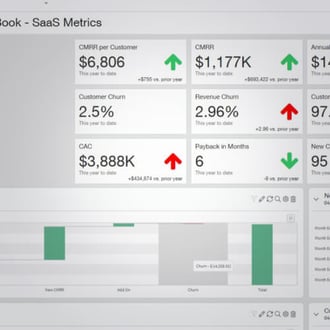
Dashboards and Visual Reporting
Dimensional Reporting
Report Library and Templates
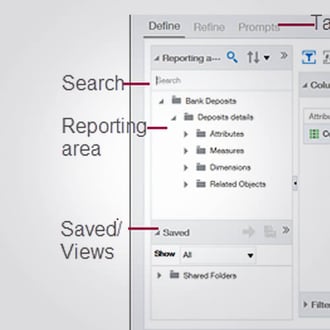
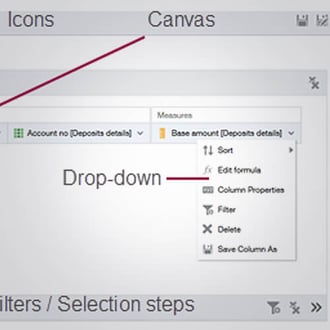
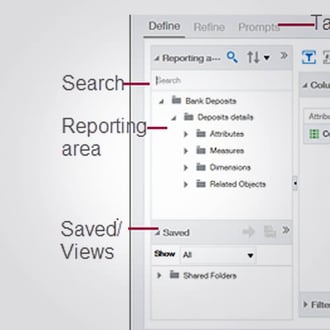
Custom Report Writer (CRW)
Interactive Custom Report Writer (ICRW)
Accuracy and Controls
Customized Reporting Setups
Sage Intacct reporting gets dramatically easier when your dimensions, workflows, and report standards are set up intentionally. Sage Intacct’s general ledger includes 10 predefined dimensions and supports additional dimensions.
How We Enhance Your Team
- Leadership-ready dashboards. We design dashboards and KPIs that match what leaders and boards need to see to make decisions quickly.
- Consistent dimensional reporting. A shared dimensional strategy keeps tagging consistent so reports stay accurate across departments.
- Custom reports built the right way. Reports are built and standardized using Sage Intacct tools, including Custom Report Writer and Interactive Custom Report Writer.
- Accuracy protected by controls. Validation rules, permissions, and workflow checks help ensure reports reflect clean, reliable data.

Step 1: Assess and Align
We review your current reporting pain points, dimensions, workflows, and stakeholder needs. Then we define reporting goals and a practical build plan.
Step 2: Build and Standardize
We configure dimensions, dashboards, report templates, and drilldown structure. We also set validation rules and access controls where needed to protect data integrity.
Step 3: Train and Improve
We train key users and teams, document reporting standards, and refine outputs after real usage so reporting stays reliable and repeatable.

Who Benefits From Optimized Reporting
Reporting is rarely just a finance problem. It affects leadership confidence, operational decision making, and team capacity.
Get board-ready dashboards and reporting packets with fewer last-minute surprises.
Standardize reporting with drilldown and controls for faster close and audit-ready confidence.
Department leaders
Use self-serve dashboards to track performance without spreadsheets or repeat requests.

Reduce ad hoc report requests with clear permissions, stable structures, and consistent dimensions.
Extend iMIS With the Tools You Rely On
Every association’s tech stack is different. enSYNC helps you connect iMIS with the platforms your members and staff already use.
We regularly integrate iMIS with:
Learning management systems (TopClass, etc.)
Online communities and mobile apps (e.g., Clowder)
Event and expo tools
Advocacy tools and voter engagement platforms
Payment processing, job boards, and more
We also support iMIS enhancements and add-ons and custom bridges.
Topclass
Clowder
OpenWater
What Better Reporting Enables
Sage Intacct customers often highlight real-time visibility and faster, more proactive decision making once reporting is set up well.

"With the timely information we have in Sage Intacct, we’re distributing responsibility across the business and helping people be proactive about their budgets. Our department heads are able to see the impact of any resident revenue loss as soon as it happens so they’re never behind the ball and can make adjustments as needed before we get to month-end."
Alicia Summers
VP of Finance, Agemark Senior Living
"If we spot an issue in overtime or food costs by analyzing budget vs. actuals, we’re able to make changes in real time before a problem gets out of hand. The biggest thing is having data at our fingertips to make informed decisions without looking at 20 different reports."
Mette O’Connor
Controller, West Harbor Healthcare
RESOURCES TO HELP YOU EVALUATE SAGE INTACCT
Sage Intacct Reporting Diagnostics: What to Fix First
Do these issues sound familiar? Read about common frustrations and how enSYNC can help solve them inside Sage Intacct.
Our reports take too long to produce.
- Common causes: Too many manual exports, inconsistent dimensions, reports built differently by each team
- Our solution: Standardize dimensions and report templates, build a board packet reporting set, create dashboards for leadership KPIs, and train a small group of owners to maintain it.
We cannot trust the numbers without double checking.
- Common causes: Inconsistent transaction entry, missing dimensions, lack of validation rules
- Our solution: Implement validation rules, tighten workflows and approvals, define required dimensions, and set role-based permissions to protect reporting integrity.
We still live in spreadsheets for analysis and drilldown.
- Common causes: Reports are not built for real questions, limited self service access, too much exporting
- Our solution: Build ICRW reports for drilldown and filtering, improve dashboard views, and create a report library that replaces the most common spreadsheet workflows.
Departments ask finance for the same report every month.
- Common causes: Reporting is centralized, no role based dashboards, unclear access
- Our solution: Set up role-based dashboards and controlled access, build reusable views for budget vs actuals, and train department leaders on how to read and use their dashboards.
Multi-entity or multi-location reporting is painful.
- Common causes: Consolidation handled outside the system, inconsistent tagging, limited standardized reporting
- Our solution: Establish a consistent dimensional model and close process, then build reporting sets that support consolidated views without manual rework.
Ready to Make Reporting Easier to Run and More Accurate?